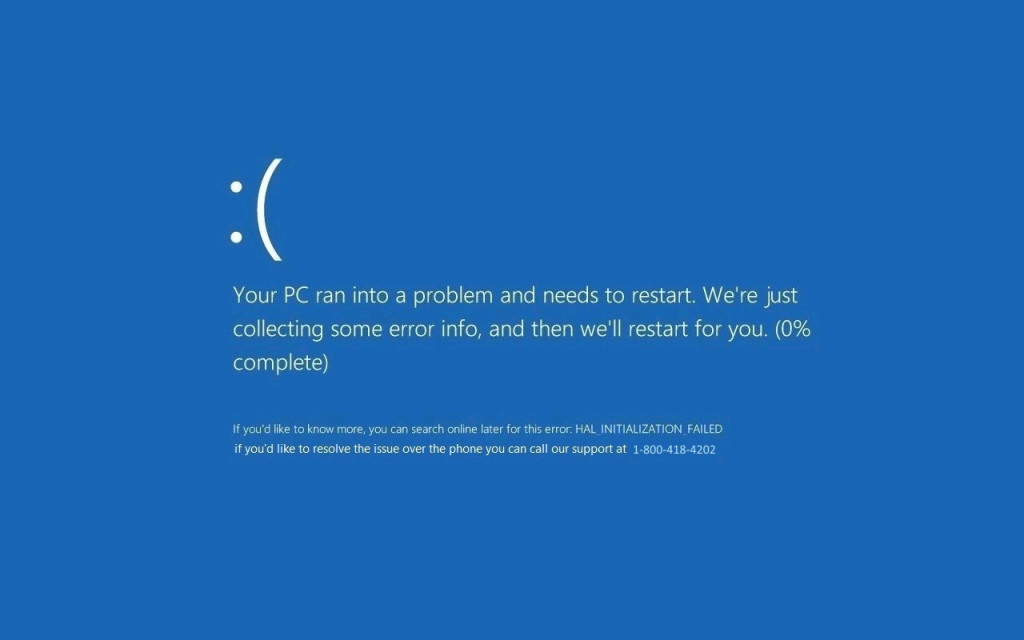
Cybersecurity threats are becoming more sophisticated each year, and one of the most deceptive forms involves fake software updates. These malicious updates often look identical to legitimate notifications, making it difficult for users to distinguish between real and harmful prompts. As attackers continue to use smarter tactics, understanding these threats has become crucial for individuals, businesses, and cybersecurity professionals alike.
Understanding the Growing Threat of Deceptive Update Attacks
Cybercriminals have refined the art of disguising their malicious software as trusted system updates. To get an in-depth perspective on this rising threat, you can explore the topic of fake windows update malware, where detailed insights reveal how attackers trick users with realistic-looking system prompts. These attacks are becoming increasingly common, especially among users who rely heavily on Windows systems for daily tasks.
Why Fake Update Malware Is So Effective
One of the reasons fake update malware continues to spread is because it exploits the trust users have in their operating system. Most people instinctively click “Update Now” whenever Windows prompts them to install new patches. Cybercriminals are aware of this behavior and design their fake notifications to look strikingly similar to official update messages, often using the same colors, logos, and interface styles.
Additionally, many users do not question the authenticity of update notifications, assuming that updates are always necessary. This automatic trust creates an easy entry point for malware.
How Cybercriminals Deliver Fake Updates
Fake update malware can be delivered through a variety of methods, including:
Phishing Emails
Attackers send emails claiming that important Windows updates are available. These emails often include links or attachments that secretly install malware.
Compromised Websites
Some websites are infected with scripts that display fake update pop-ups. When a user clicks on the prompt, malware downloads in the background.
Malicious Advertisements (Malvertising)
Cybercriminals embed fake update banners in online ads. Clicking these ads can trigger a silent malware installation.
Software Bundles
Attackers sometimes integrate fake updates into pirated software or fake installers, tricking users into installing malware alongside legitimate tools.
These methods highlight how easily anyone can fall victim if they aren’t cautious.
What Happens After the Malware Installs?
Fake update malware varies in its behavior, but some of the most common outcomes include:
1. Data Theft
Cybercriminals can access and steal personal data such as passwords, bank details, browsing history, and saved files.
2. Ransomware Installation
Many fake update packages include ransomware. Once installed, it encrypts files and demands payment for their release.
3. System Hijacking
Malware often gives attackers remote access to the victim’s device, allowing them to control applications, modify files, or install additional malicious programs.
4. Spyware Injection
Spyware secretly monitors everything the user does, including keystrokes, screen activity, and sensitive transactions.
5. Botnet Recruitment
Some malware turns infected devices into botnet nodes, contributing to large-scale cyberattacks without the user’s knowledge.
These outcomes can lead to severe financial and privacy damage, making preventive action essential.
Why Windows Users Are the Primary Target
Windows is the world’s most widely used operating system, making it the biggest target for cybercriminals. Attackers know that:
- Many users rely on Windows for work, school, and personal tasks
- Users frequently expect update prompts
- The system’s popularity increases the chance of successful attacks
- Large organizations use Windows-based networks, offering bigger rewards for attackers
This combination makes Windows platforms a prime target for fake update scams.
Signs That an Update Prompt Might Be Fake
Identifying malicious update notifications can be challenging, but certain warning signs can help:
- Pop-ups appearing inside your browser instead of the Windows Update Panel
- Poor grammar or spelling mistakes
- Suspicious file formats such as .exe files downloaded directly from a prompt
- Forced immediate update options without alternatives
- Update messages appearing on non-Microsoft websites
- Prompts requesting admin passwords unexpectedly
Recognizing these red flags can protect users from falling victim to such attacks.
How to Protect Yourself from Fake Update Malware
Preventing fake update attacks requires a combination of proper habits, security tools, and awareness. Here are essential practices:
Always Update Through Official Settings
Windows updates should only be installed through the built-in Windows Update settings. Never rely on external pop-ups or links.
Enable Automatic Updates
Allowing Windows to update automatically reduces the need to manually check for updates and protects you from fraudulent prompts.
Use Antivirus and Anti-Malware Tools
Trusted security software can detect and block suspicious files before they cause damage.
Be Cautious with Email Attachments
Avoid downloading update files received through email — Microsoft never distributes updates this way.
Regular Backups
Keep important files backed up so you can recover data in case of ransomware attacks.
Avoid Pirated Software
Unauthorized software is a major source of bundled malware, including fake update installers.
Check Website Authenticity
Avoid downloading anything from unverified websites, especially suspicious update notifications.
Following these steps significantly reduces the risk of malware infections.
How Businesses Can Stay Safe
Organizations are major targets due to the amount of sensitive data they store. To protect company networks:
- Enforce strict update policies
- Train employees on cybersecurity awareness
- Use endpoint security systems
- Monitor network traffic for abnormalities
- Restrict unauthorized downloads
- Regularly patch systems with official updates
Companies must treat fake update malware seriously, as one infected device can compromise the entire network.
The Future of Cybersecurity and Fake Updates
Cybercriminals are constantly improving their techniques, meaning fake update malware will likely become more sophisticated. As AI and automation grow, attackers may create even more realistic update prompts. This makes cybersecurity education and vigilance more important than ever.
Conclusion
Fake Windows update attacks represent one of the most dangerous and deceptive forms of modern cybercrime. They exploit user trust, mimic real system notifications, and can lead to severe consequences such as data theft, ransomware, and full system compromise. However, with proper awareness, cautious digital habits, and reliable security tools, users can defend themselves against these threats. As digital systems continue to evolve, staying informed remains the most powerful defense against cybercriminals.

George is the voice behind Wisdomised, a news blog dedicated to delivering fresh, engaging stories that keep readers both informed and entertained. With a sharp eye for current events and trending topics, George crafts posts that make complex news accessible and enjoyable. His unique perspective and storytelling skills bring a refreshing twist to every update, inviting readers to explore the world through Wisdomised.