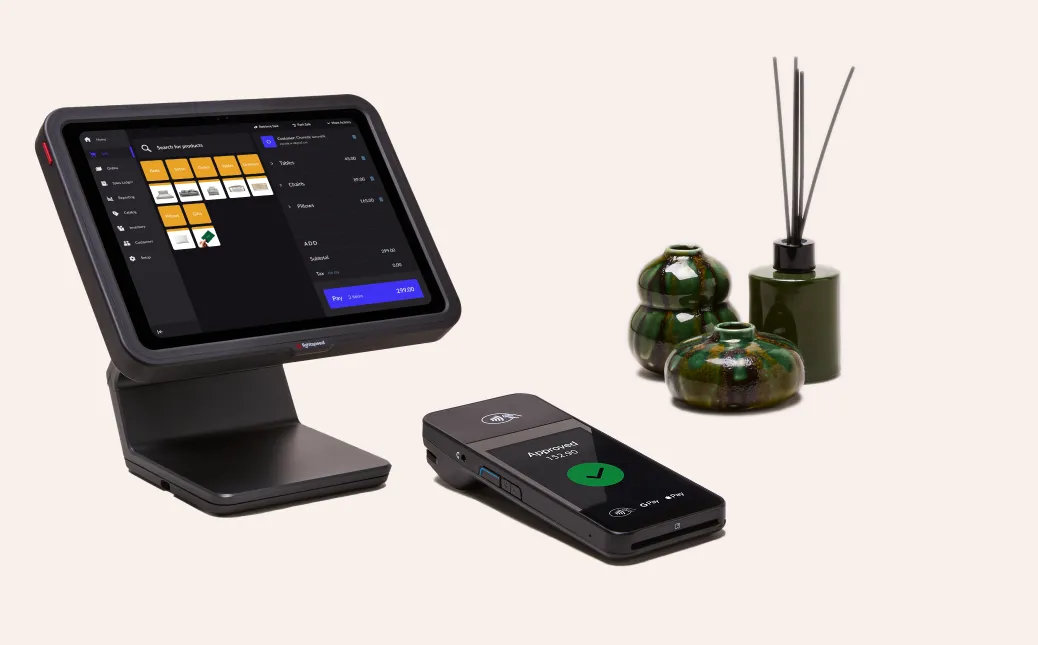
A Desktop POS Machine is an essential tool for businesses, enabling smooth transaction processing, inventory management, and customer service. However, like any technology, desktop POS systems can encounter problems that disrupt operations. Understanding common issues and how to troubleshoot them is crucial for minimizing downtime, maintaining efficiency, and ensuring a seamless experience for both employees and customers. Effective troubleshooting requires identifying the source of the problem, applying practical solutions, and knowing when to seek professional support.
Identifying the Problem
The first step in troubleshooting any desktop POS system is identifying the type and source of the issue. Common problems typically fall into four categories: hardware malfunctions, software errors, connectivity issues, and user-related mistakes. Determining whether the problem originates from the machine itself, its software, or network connections allows for a targeted approach to resolution. A reliable Desktop POS Machine supplier often provides manuals, diagnostic tools, and support services that help businesses identify and resolve issues efficiently. Keeping detailed records of recurring problems can also help technicians provide more effective long-term solutions.
Hardware Issues
Hardware problems are among the most frequent challenges encountered with desktop POS machines. These can include unresponsive touchscreens, malfunctioning card readers, faulty receipt printers, and jammed cash drawers. Common troubleshooting steps include:
- Touchscreen issues: Clean the screen with a soft, lint-free cloth and ensure that it is free of residue or moisture. Recalibrating the touchscreen may resolve responsiveness issues.
- Card reader problems: Check that the device is properly connected and test it with multiple cards. Updating the card reader’s firmware can also resolve compatibility issues with new payment methods.
- Receipt printer errors: Ensure the printer is loaded with paper correctly and free of jams. Replace worn-out printer components if necessary.
- Cash drawer jams: Verify proper connection to the POS system and check for obstructions. Mechanical issues may require repair or replacement.
Routine maintenance and careful handling can prevent many hardware-related problems.
Software and System Errors
Software issues can cause freezing, slow response, error messages, or failed transactions. Troubleshooting these problems often involves:
- Restarting the system: A simple reboot can resolve temporary glitches and free up memory.
- Updating software: Ensure both the POS software and the operating system are current. Updates often include bug fixes, security enhancements, and performance improvements.
- Clearing cache and temporary files: Accumulated data can slow down the system or cause conflicts. Regularly clearing unnecessary files can improve performance.
- Checking configuration: Incorrect settings or user permissions may prevent certain functions from operating properly. Verifying these settings can resolve issues.
Consistent software maintenance and monitoring help reduce the frequency of errors and improve system reliability.
Connectivity Issues
Connectivity problems can disrupt payment processing, cloud synchronization, and software updates. Common troubleshooting steps include:
- Checking network connections: Ensure Ethernet cables, routers, and switches are functioning properly.
- Testing other devices: Determine whether the issue affects only the POS system or the entire network.
- Restarting network equipment: Power cycling routers and switches often resolves temporary connectivity issues.
- Verifying firewall and security settings: Ensure that network security configurations do not block POS system communications.
Stable connectivity is essential for smooth operations, especially for businesses relying on real-time inventory tracking and online payment processing.
Payment Processing Problems
Payment errors can disrupt transactions and frustrate customers. Common causes include communication failures with the payment gateway, expired security certificates, or card reader malfunctions. To troubleshoot:
- Confirm the payment gateway is operational and compatible with the POS system.
- Check that card readers are connected and functioning properly.
- Update POS software and firmware to ensure compatibility with current payment standards.
- Test different cards or payment methods to isolate the issue.
Promptly addressing payment processing issues ensures a seamless checkout experience and maintains customer trust.
User Errors
Sometimes issues arise due to user error, such as incorrect input, misconfigured settings, or improper handling of the system. Providing comprehensive training and clear standard operating procedures helps minimize these mistakes. Regular refresher courses and access to user manuals can empower staff to operate the POS system efficiently and prevent avoidable errors.
Professional Support
While many issues can be resolved in-house, certain problems require professional assistance. Desktop POS suppliers typically offer technical support, warranty services, and on-site repairs. Regular maintenance by certified technicians ensures both hardware and software remain in optimal condition and prevents unexpected breakdowns.
Conclusion
Troubleshooting a desktop POS machine involves identifying the source of problems, addressing hardware and software issues, resolving connectivity and payment errors, and minimizing user-related mistakes. Regular maintenance, software updates, proper training, and professional support are essential for preventing recurring issues and ensuring efficient operations. By implementing effective troubleshooting practices, businesses can maintain smooth transactions, protect customer satisfaction, and extend the life of their desktop POS systems.

George is the voice behind Wisdomised, a news blog dedicated to delivering fresh, engaging stories that keep readers both informed and entertained. With a sharp eye for current events and trending topics, George crafts posts that make complex news accessible and enjoyable. His unique perspective and storytelling skills bring a refreshing twist to every update, inviting readers to explore the world through Wisdomised.